


Mod Açıklaması
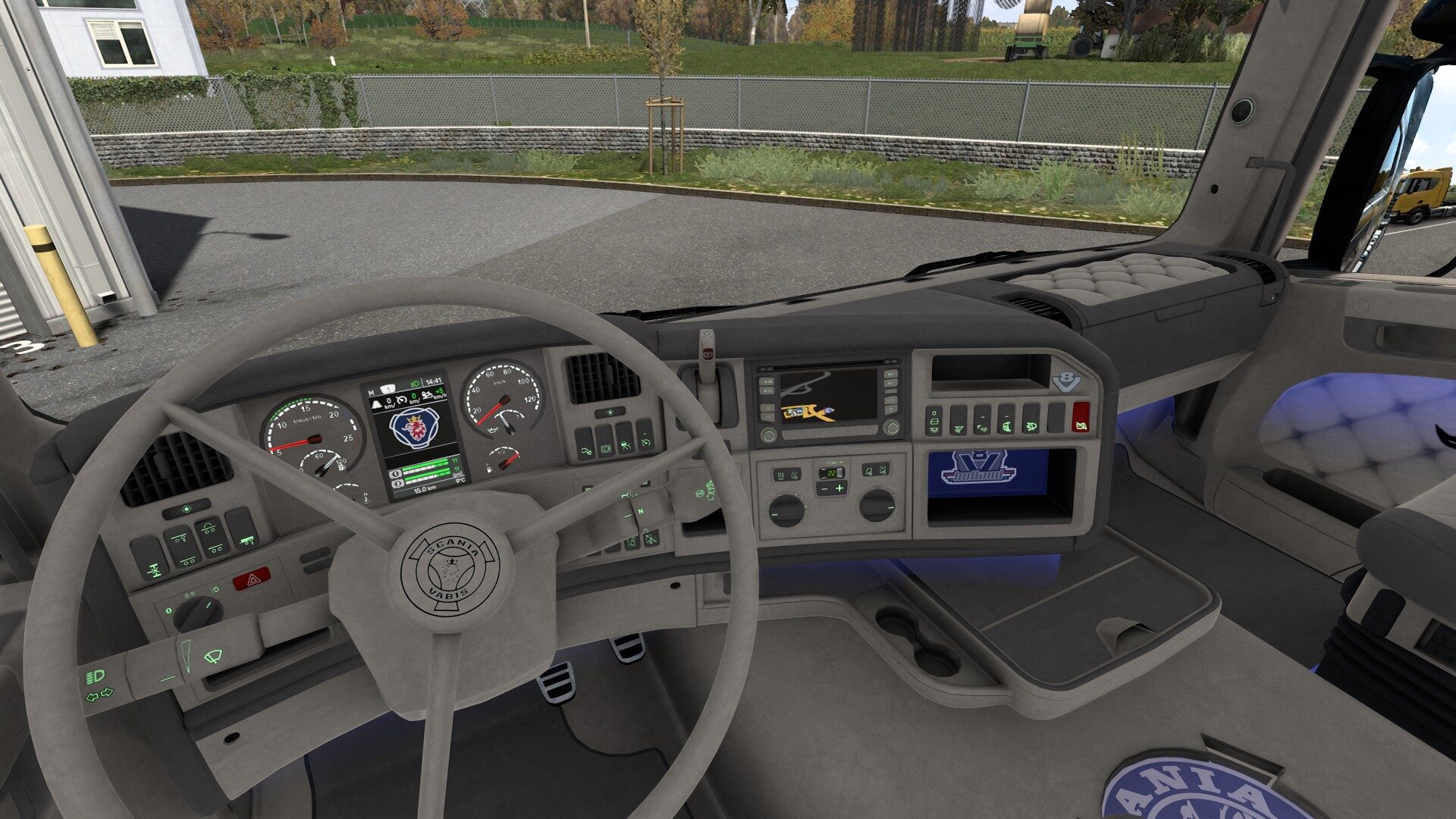
Give your truck a classic, clean, and premium look with this custom Holland-Style interior designed exclusively for the RJL Scania Topline cabin. Featuring high-quality textures, custom upholstery, and that authentic Dutch tuning vibe, this mod is the perfect upgrade for your long-haul journeys.
Requirements:
This mod requires the RJL Scania G, R, R 4-series & Streamline (Version 1.61 or newer) to be installed and active.
Important Notes & Compatibility:
• Topline Cabin Only: This interior is tailored strictly for the Topline cabin configuration. It will not work properly or may cause graphical glitches on other cabin types.
• Mod Manager Priority: To avoid texture conflicts or crashes, you must place this interior mod ABOVE the RJL truck mod in your Mod Manager.
Correct Load Order:
1. [This Mod]
2. RJL Scania G, R, R 4-series & Streamline
How to Install:
1. Download the .scs file.
2. Move the file into your ETS2 mod folder (usually located at Documents/Euro Truck Simulator 2/mod).
3. Open the game, go to the Mod Manager, and activate this mod, ensuring it sits above the main RJL truck mod.
4. Drive to any in-game workshop and select your new interior.
Credits:
Z-Sound
Yorumlar 0
Henüz yorum yok. İlk yorumu sen yap!
Sohbete Katılın
Yorum yapmak ve toplulukla etkileşime geçmek için giriş yapmalısınız.