

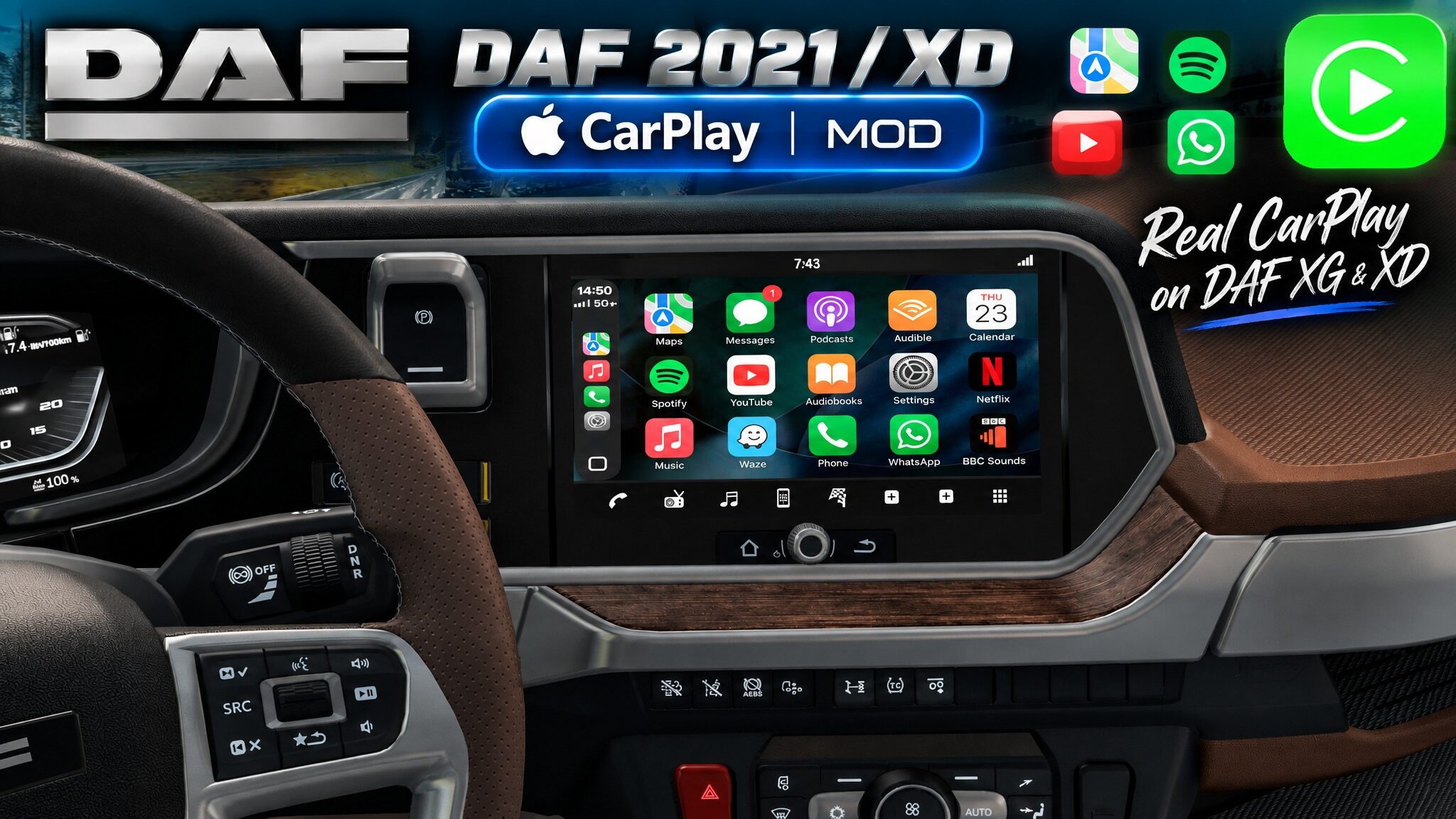
CarPlay for DAF 2021 (XD, XG & XG+)

Mod Açıklaması
CARPLAY FOR DAF 2021 (XD, XG & XG+)
Custom CarPlay-style infotainment interface layout designed for the DAF 2021 series (XG, XG+, and XD) dashboard in Euro Truck Simulator 2.
This mod replaces the stock display graphics with a clean, high-resolution media layout while maintaining native game functionality.
WHAT THIS MOD DOES
• Changelog v1.0: Initial release for the DAF 2021 range. Features full edge-to-edge CarPlay layout support across XG, XG+, and the separate DAF XD DLC with integrated navigation, media screens, and custom route colors natively included.
• Clean UI Design: Introducing a streamlined CarPlay aesthetic that replaces cluttered stock elements with a crisp, minimal layout.
• Custom High-Res Textures: Adding handcrafted and AI, high-resolution graphics for custom media, settings, and radio screens that are entirely absent in the base game.
• Full DAF Family Support & Native Integration: Seamlessly covers both the main DAF 2021 series (XG/XG+) and the separate DAF XD DLC while fitting perfectly into the standard interior display setup.
IMPORTANT NOTICE: DYNAMIC CLOCK BEHAVIOR
Please read carefully regarding how the clock works in this mod:
Unlike previous truck versions where sub-category limitations restricted the clock, in this DAF version—thanks to the continuous main screen layout across all views—the live dynamic clock is successfully displayed across all screens seamlessly!
MOD STATUS & FUTURE UPDATES
While I initially stated that I wouldn’t expand my mods to other trucks, I’ve changed my mind! Over time, I will be adding support for other modern truck models—maybe not all of them, but definitely focusing on the most modern ones.
The mod is released as-is starting with the DAF 2021 & XD range and expanding across brands. You are free to edit the definition files locally for your own personal use.
COMPATIBILITY & SETUP
• Game Version: Compatible with ETS2 1.61+.
• Supported Trucks & Mods:
– DAF XD
– DAF XG / XG+ (2021)
– Apple Maps Navigation (Base) (Optional)
• Controls Setup: Make sure to map your Infotainment screen key/button in your game’s Keyboard & Buttons options to properly interact with and switch the CarPlay display modes.
PROMODS WORLD MAP FIX
Because ProMods modifies the default map data, the stock map layout can cause the world map to appear shifted or decentered. If you are playing with ProMods instead of the vanilla map, please download and use this dedicated fix:
Carplay ProMods Compatibility Fix (Google Drive)
Note: This fix is exclusively meant for ProMods map users. Please also note that this fix is NOT compatible with “High Quality Background” map mods for ProMods or similar background modifications.
RECOMMENDED LOAD ORDER
This mod works exceptionally well when combined with other UI improvements. Choose the correct load order from top to bottom depending on your map setup:
For Vanilla Map Users:
• CarPlay for DAF 2021 (XD, XG & XG+) (Top – This Mod)
• Apple Maps Navigation (Base) (Bottom) (Optional)
For ProMods Map Users:
• Carplay ProMods Compatibility Fix (Top – Fix file)
• CarPlay for DAF 2021 (XD, XG & XG+) (This Mod)
• Apple Maps Navigation (Base) (Optional)
• ProMods Files (Bottom – Standard ProMods position)
Note: The base Apple Maps Navigation mod is no longer required for color…
Credits:
NiamhFox
Yorumlar 0
Henüz yorum yok. İlk yorumu sen yap!
Sohbete Katılın
Yorum yapmak ve toplulukla etkileşime geçmek için giriş yapmalısınız.